SyncFlow and Livekit
Livekit is a platform for building live video and audio applications. It provides a set of APIs and SDKs to build applications that can be used for video conferencing, live streaming, and more.
MMLA Collection and Video Conferencing#
MMLA collection and analysis requirements are similar to those of video/audio conferencing applications, with an added level of complexity due to the need to support different hierarchies for group and individual audio, peripheral IoT devices, and other kinds of data discussed above. The one difference is that a video conferencing application has true peer-to-peer delivery from the get-go, whether using pure P2P protocols or an SFU, while data collection in an MMLA setup requires centralized collection and processing with selective peer-to-peer delivery. However, this is beyond the point of analogy between video conferencing and MMLA collection.
First, similar to video conferencing applications, both contexts involve multiple participants (humans as well as bots).
Second, both require real-time data processing and delivery.
Third, depending on the application requirements, the software facilitating both should be scalable and delivered from the cloud.
Fourth, and probably the most similar aspect, is that both fundamentally include streaming audio, video, and data from multiple sources and processing them in real-time.
Similar to a timed video call in conferencing, a classroom study in MMLA has a start and end time, and the data collected during this period is saved (similar to recording online meetings), and can be processed both in real time and post-hoc. On the other side, synchronization and data quality are likely more important in MMLA collection than in video conferencing, as the data collected in MMLA should be mapped to a unified timeline and be of high quality to be used for analysis. This was probably the biggest selling point for LiveKit, as it supported all these features out of the box, and we could leverage it to fit our use case.
LiveKit#
LiveKit is an open-source project that enables the creation of scalable, real-time video and audio applications. It essentially allows developers to build an open-source tool similar to Zoom or Google Meet. At its core, the LiveKit server functions as a Selective Forwarding Unit (SFU) media server. This setup allows participants to join a LiveKit "Room" and send or receive video/audio/data to and from other peers in the room. It supports both streaming and video conferencing.
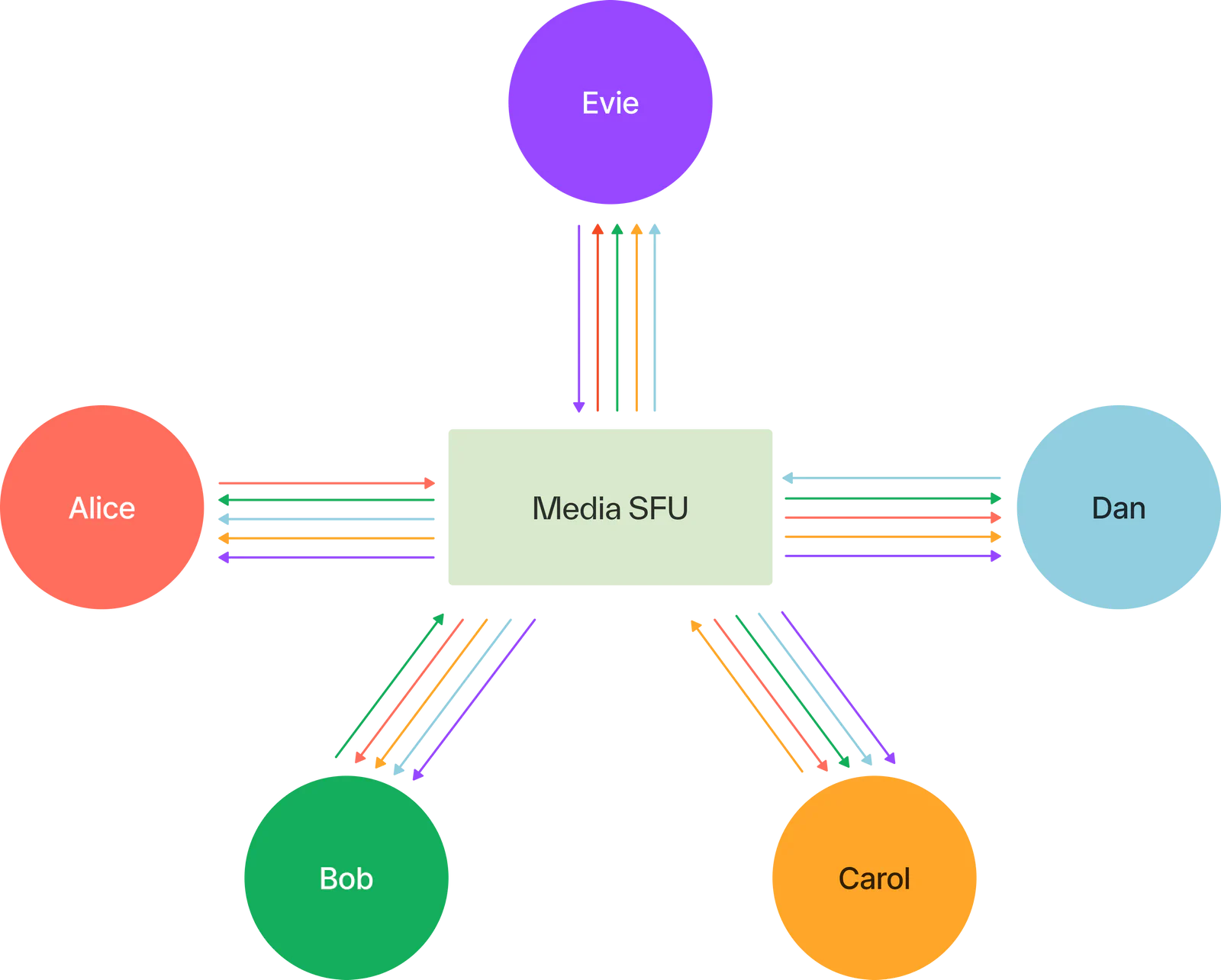
One of the standout features of the LiveKit ecosystem is that it is completely open-source, and there is comprehensive documentation available on how to deploy it. LiveKit also offers a wide range of SDKs and APIs, allowing for the development of applications in languages and frameworks such as JavaScript, Python, Rust, Unity, and more. Essentially, it provides a one-stop solution for building video and audio applications. With the diversity of systems used in MMLA research, having a lot of out-of-box support is ideal.
In our specific context, the most significant advantage was LiveKit's out-of-the-box support for video, audio, and screen, as well as data streaming from the browser, which had been a major bottleneck in our ChimeraPy project. Additionally, LiveKit's Egress feature allows for saving the streams to cloud storage, with synchronization achieved via seconds from the Unix epoch as timestamps for audio and video data. Furthermore, the Agents framework in LiveKit offers a streamlined solution for processing and providing feedback on participants' streams.
Livekit Integration#
A LiveKit server can either be self-hosted or accessed via the LiveKit Cloud for an already operational LiveKit deployment. Typically, a server has a ws(s) URL that clients need to connect to. Additionally, to send authenticated requests to the server, a set of API key-secret pairs must be generated.
The LiveKit SDKs are divided into two main categories:
Server SDKs: These are used for backend operations such as creating rooms, generating join tokens, and managing room recordings.
Realtime SDKs: These are used on the client side for streaming media to the room.
For successful integration, the backend should enable clients in the system to request room join tokens, complete with customizable video grants, which clients can then use to enter the LiveKit room via the Realtime SDKs. The server-side SDKs manage tasks such as creating rooms, deleting rooms, listing rooms, and starting room egress, among others. Meanwhile, the Realtime SDK includes utilities for streaming from media devices, functions for joining and leaving rooms, setting room presets, streaming data, and more. This comprehensive setup allows for robust and versatile interaction within the LiveKit ecosystem. Further details on this can be found in the LiveKit documentation.
Basically, we created a backend for generating user tokens and managing room recordings, as well as comprehensive user management. A dashboard would be used to preview and record data, and an IoT client for streaming from local peripheral devices, as well as integration channels for various learning environments to join LiveKit rooms. Additionally, SyncFlow offers multi-tenancy, where in multiple livekit servers can be managed from a single dashboard, and different integrations can be managed from a single server, via projects in SyncFlow.